
Peoria Journal Star
USA TODAY Co.News & Magazines
2.4182.00 Reviews
- Version
- 8.10.3
- Installs
- 10.00K
- Age Rating
- Everyone
Screenshots
Our Review of Peoria Journal Star
 Analysis by Appyee
I approached Peoria Journal Star as a practical news companion rather than as a general-purpose headline app. It is a free News & Magazines app from USA TODAY Co., focused on keeping local Peoria-area coverage close at hand while also bringing in broader reporting, photography, and video. That combination sounds straightforward, but the real question is how well it fits into an ordinary day: finding something relevant, deciding whether it deserves attention, and passing useful information to someone else.
My starting point was simple. I wanted a quick way to check local developments without opening a full browser search every time, while still having access to national stories when the local news cycle was quiet. The app is aimed at Everyone, runs on Android 8.0 or later, and its current version is 8.10.3. Those details make it accessible to people using older Android phones, although the experience still depends on how comfortably your device handles media-heavy news pages.
From a quick check to a complete news workflow
I use a quick check as a decision point: if a Peoria headline touches my household, work, or community, I move from scanning to reading for context. That shift helps keep a short visit focused and makes it easier to decide whether the story is worth returning to later.
Beginning with a local question
The strongest reason to open this app is usually a specific local question. You may want to know what is happening around Peoria, whether a community issue has developed, or whether a local story has moved beyond a brief social-media mention. In that situation, a publication-focused app feels more purposeful than a broad news aggregator, because the local identity is clear from the moment you launch it.
I like that starting point because it changes how I read. Instead of scrolling through an endless mixture of unrelated subjects, I begin with the expectation that the most useful item may be something tied to the place where I live, work, or have family. That makes the first few minutes more focused. It is especially useful in the morning, when I want context before leaving home, or in the evening, when I want to understand what changed during the day.
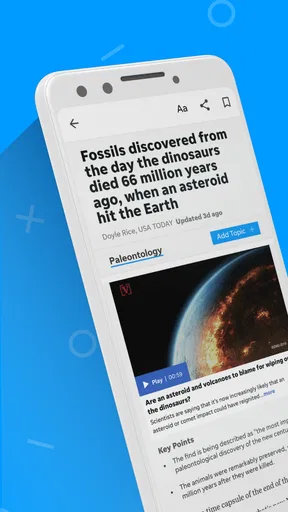
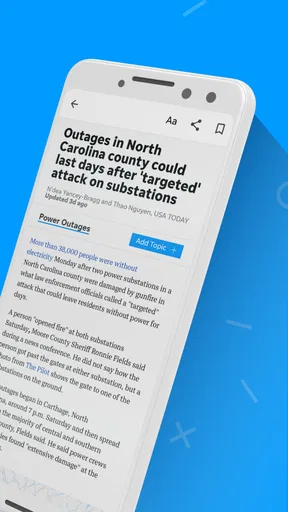
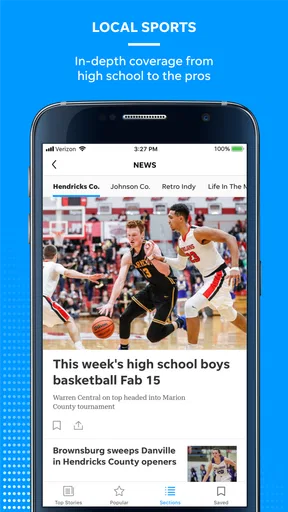
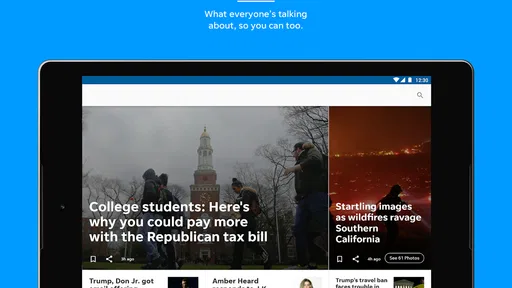
The app also makes sense for readers who care about the visual side of reporting. Photography can communicate the scale or atmosphere of a local event faster than a paragraph, while video may help when a situation is difficult to understand from text alone. I would not treat those formats as automatic improvements, but they give the reading process more than one entry point.
Moving from the first headline to useful context
My usual workflow is to scan the opening selection, stop at the story that answers my immediate question, and then continue only if the subject affects a decision or conversation. That last part matters. A local news app is most valuable when it helps me move from “something happened” to “I understand why it matters.”
For example, imagine a family member sends a message asking whether a local development will affect the area. I would first use the app to identify the relevant report, then read beyond the opening lines before replying. The handoff is not simply sending a headline. It is passing along the article with a short explanation of what I learned and which part still needs attention. That makes the app useful as a starting point for a real conversation rather than just another stream of alerts and fragments.
The photography and video can change that workflow. A written report may give the essential facts, while an image helps me recognize the location or understand the visible impact. Video can be more convenient when I am busy and want an overview before deciding whether to read closely. The trade-off is that media asks more from the phone and from my attention, so I prefer to use it when it adds context rather than opening every clip automatically.
Handling the handoff to another person
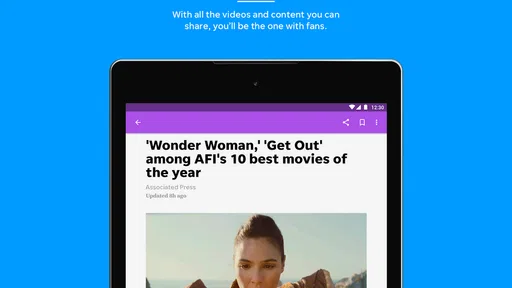
News rarely ends with my own reading. I may need to tell a neighbor about a local issue, send a story to a relative, or bring a detail into a work or community discussion. Peoria Journal Star works best in that handoff stage when I treat the article as a source to review first, not as a message to forward without checking.
My practical tip is to read the complete visible story before sharing it, especially when the headline is emotionally charged. Local reporting often depends on details that are easy to miss during a quick scan: who is affected, what has actually changed, and what remains unresolved. The app can put the story in front of me, but the quality of the handoff depends on whether I take that extra minute to understand it.
This is also where the app differs from social feeds. A social platform may be faster for discovering that people are discussing an event, but it can mix firsthand comments, speculation, old posts, and unrelated reactions. A publication-centered workflow is slower at the discovery stage, yet more useful when I need a report I can read carefully and share with some confidence.
Balancing local coverage with national reading
When I finish with a local story, the broader coverage gives me a second reason to stay. The app is not limited to one neighborhood conversation; it also presents national news, so I can move from a nearby event to the larger subject around it. That can be helpful when a local story connects to a wider political, economic, or social issue.
Still, I would not use it as my only source for every kind of news. A dedicated national outlet may offer a deeper range of international reporting, specialist analysis, or topic-specific coverage. The value here is the balance: the local publication identity gives the app a clear center, while broader stories prevent it from feeling too narrow during a slow local news period.
That balance creates a useful two-stage routine. I start local when I need relevance, then move outward when I need context. If I begin with national headlines instead, the local material can feel less prominent simply because the wider news cycle is louder. For my own use, opening with the local purpose produces a better result than treating the app as another generic national feed.
Using the app during a busy day
The most realistic use case is not a long reading session. It is a series of short visits. I might check the app while having coffee, return during a break to follow a developing story, and open it again later to see whether the situation has changed. That pattern suits a local news service because the value often comes from continuity rather than from consuming everything in one sitting.
I find it helpful to separate “need to know” reading from “want to browse” reading. For the first, I look for the story connected to my immediate concern and stop once I have enough context. For the second, I explore photography, video, and broader reporting at a slower pace. This prevents the visual material from turning a two-minute check into an unplanned half-hour session.
Another useful habit is to save the handoff for a quiet moment. If a story is important enough to share, I do not send it while distracted. I read it, identify the central point, and then tell the recipient why it matters to them. That approach makes the app part of a reliable information routine instead of a source of rushed reactions.
What the experience feels like in practice
The app’s main strength is its clear editorial purpose. I know I am opening it for Peoria Journal Star coverage, not entering a news maze assembled from dozens of unrelated publishers. That focus is valuable for residents, former residents, families with local ties, and anyone who needs a closer view of the area than a large national app usually provides.
The inclusion of rich photography and video also gives the reading experience more texture. A local event can be easier to grasp visually, and a video report may be more approachable than a long article when I am trying to get oriented. I appreciate having those formats available, but I judge them by usefulness rather than novelty. Text remains the better choice when I need to search for a detail or understand a sequence of events.
There is also a practical advantage in keeping local and national reading in one place. I do not have to switch immediately between a local publication and a broader news app just to understand the relationship between a nearby event and its wider context. That said, the app is better as a focused publication reader than as a replacement for every news source I use.
Cost, access, and the subscription decision
The app can be installed for free, which makes trying the local coverage low risk. The store listing also shows in-app purchases ranging from $14.99 to $69.99 per item. I would pay close attention to the screen that explains any purchase before confirming it, particularly if I only want occasional access rather than a longer-term reading arrangement.
This is an important distinction between downloading the app and deciding how deeply to use it. Free installation lets me evaluate the presentation, local relevance, and reading flow. A purchase is a separate decision that should be based on how often I return and whether the available access matches my habits. Someone who checks local news every day may see more value than someone who only opens the app during a major event.
I would also avoid assuming that every reader needs the same level of access. If your main goal is a quick look at what is happening, the free entry point may be enough to decide whether the app belongs in your routine. If you need sustained reading, compare the purchase terms shown inside the app with your actual frequency of use rather than buying simply because the publication is familiar.
Where the flow becomes less comfortable
The clearest warning sign is the public reception. The app has an average rating of 2.4 from 368 ratings, with 182 written reviews. I do not read that as proof that every user will have a poor experience, but it is too prominent to ignore. It suggests that the practical experience may contain friction for a meaningful portion of its audience, and I would test the app personally before relying on it for an important daily routine.
Media-rich news can also create its own interruption. Photography and video are valuable when they clarify a story, but they can make a quick check feel heavier than expected. On an older phone, or when the connection is not ideal, the smoothness of the workflow may matter more than the quality of the content. I would keep expectations realistic: this is a publication app with visual material, not a lightweight text-only bulletin.
Another possible break occurs between reading and sharing. A headline may be easy to notice, but a responsible handoff still requires opening the report, checking its context, and deciding whether the recipient needs the whole article or just a concise explanation. If you prefer the instant, highly personalized stream of a news aggregator, this extra step may feel slow. I see it as a trade-off rather than a flaw: more focus and local identity in exchange for less algorithmic convenience.
The workflow can also fail when I expect the app to cover every subject with equal depth. Its local focus is the reason to install it, but it is also the boundary of its usefulness. For specialist technology news, international analysis, or a very broad collection of sources, I would choose a dedicated alternative. For Peoria-centered awareness, a general aggregator may be less satisfying because local stories can be buried among national headlines.
Who should make it part of a routine
I would recommend trying it if you live in the Peoria area, have family or work connections there, or want a publication with a local center instead of a purely national feed. It is particularly suitable for readers who like to begin with nearby developments and then widen the view through national coverage. People who value photographs and video as part of their news reading may also find the format more engaging than a plain headline list.
I would be more cautious if you want a single app to replace every source, expect a consistently frictionless experience, or dislike making decisions about in-app purchases. The rating history makes a trial sensible rather than automatic. I would also skip it as a primary choice if your interest is almost entirely international or specialist reporting, where a broader or more focused alternative will probably serve you better.
My final assessment after following the full workflow
Peoria Journal Star succeeds most clearly when the journey begins with a local question and ends with a better-informed conversation. I can open it, find a relevant report, use text or media to build context, and pass the result to someone else without starting from a random social post. That is a meaningful role, especially for readers who want local awareness without giving up access to national news.
Its weaknesses appear when convenience becomes the only priority. The low average rating means I would not recommend installing it blindly, and the in-app purchase range deserves careful attention before committing money. The visual content can enrich a story, but it can also make a quick visit less lightweight than expected. Those limitations keep it from being an automatic recommendation for everyone.
For me, the sensible approach is to treat it as a focused local-news tool: install it, test the opening flow, read several stories, and see whether the Peoria coverage fits naturally into the way I already follow news. If local relevance matters more to you than having the biggest possible news universe, this app is worth a measured trial. It is not the best answer for every reader, but it has a clear purpose, and that purpose is more useful than a generic feed when the story begins close to home.
Verdict
Strengths of Peoria Journal Star
- Local coverage focused on Peoria and surrounding communities.
- Breaking news alerts help you stay informed about important events.
- Includes sports reporting, scores, and local team updates.
- Digital access makes the newspaper convenient to read on the go.
- Supports saving articles for later reading when time is limited.
Limitations of Peoria Journal Star
- Some articles may be limited to digital subscribers or require a login.
- Advertising can make parts of the app feel visually crowded.
- Coverage may feel too regional for readers outside central Illinois.
- Notifications can become distracting if too many topics are enabled.
- App performance may vary depending on connection quality and device age.
Other Releases by USA TODAY Co.
View All
IndyStar: Indianapolis Star
News & Magazines2.7

AZ Central: Arizona Republic
News & Magazines2.5

The Detroit News: Local News
News & Magazines3.1

Detroit Free Press: Freep
News & Magazines3.0
Similar Picks in This Category
View All
Google News - Daily Headlines
Google LLC4.0

X
X Corp.4.8

Flipboard:Your Social Magazine
Flipboard3.4

Opera News: breaking & local
Opera4.5

Hindi News by Dainik Bhaskar
Dainik Bhaskar Group4.0

Way2News Daily News App
Way2News ( Formerly Way2SMS )4.6
Frequently Asked Questions
What is the Peoria Journal Star app?
The Peoria Journal Star app is a mobile news platform for keeping up with local reporting from Peoria and surrounding communities in central Illinois. It typically features breaking news, local government, education, sports, business, entertainment, opinion, and community stories. The app is designed for readers who want convenient access to the newspaper’s coverage from an Android or iOS device.
Is the Peoria Journal Star app free to download and use?
Downloading the Peoria Journal Star app is generally free, allowing users to install it and explore available content without paying an upfront download fee. However, access to all articles and premium features may require a digital subscription or an existing newspaper subscription. Before subscribing, check the current pricing, trial terms, renewal conditions, and available plans shown inside the app or on the official website.
Does the app require a subscription to read every article?
Not necessarily. Some stories, headlines, and basic features may be available to all users, while other articles can be limited by a digital paywall. Subscribers generally receive broader access to the publication’s full coverage and may also benefit from additional features, depending on the plan. Because access rules can change, review the subscription details carefully before entering payment information.
What type of news and features can users find in the app?
The Peoria Journal Star app focuses primarily on local journalism, including breaking news, crime and public safety, local politics, schools, sports, business developments, community events, and regional issues. Depending on the version and account type, users may also find personalized news feeds, saved articles, alerts for important updates, multimedia content, and digital newspaper access. Feature availability may vary by device and subscription.
Does the Peoria Journal Star app send notifications?
Yes, the app may send push notifications about breaking news, major local developments, sports results, weather-related information, and other important updates. Notifications can be useful if you want immediate awareness of events in the Peoria area, but frequent alerts may become distracting. After installation, review the notification settings and disable categories you do not need while keeping alerts for topics that matter most to you.
